Adobe has expanded Firefly Services with a slate of audio and video capabilities designed to automate time-consuming production work, especially video localization and platform repurposing. The headliners are the Translate & Lip Sync API, the Reframe API for adaptive aspect ratios, and a no-code Firefly Creative Production interface that lets teams scale on-brand assets without writing a line of code. Announced this spring and now broadly available, the update rounds out Adobe’s API-driven approach to creative operations with tools that plug directly into marketing and content pipelines.
Adobe Newsroom: Firefly Services update
What’s in the update (at a glance)
| Capability | What it does | Best for |
|---|---|---|
| Translate & Lip Sync API | Translates spoken dialogue and generates synced dubs while aligning mouth movements to the new audio. | Global campaigns, courseware, product videos |
| Reframe API | Intelligently resizes and crops video to different aspect ratios with subject awareness and scene edit detection. | Social cutdowns, vertical/1:1/16:9 versions |
| Firefly Creative Production | No-code, browser-based interface to batch repetitive work like cropping, background swaps, overlays, and reframing/localization. | Brand content at scale, rapid variant creation |
| Custom Models | Bring on-brand models into workflows so generated assets adhere to visual guidelines. | Enterprise brand consistency across teams |
| Audio/Video API suite | Includes Text to Speech, Text to Avatar, and related endpoints to automate voice and presenter content. | Explainer videos, training, corporate comms |
Developer docs: Firefly Audio/Video APIs
How the new features change the game
Translate & Lip Sync API: faster, more natural localization
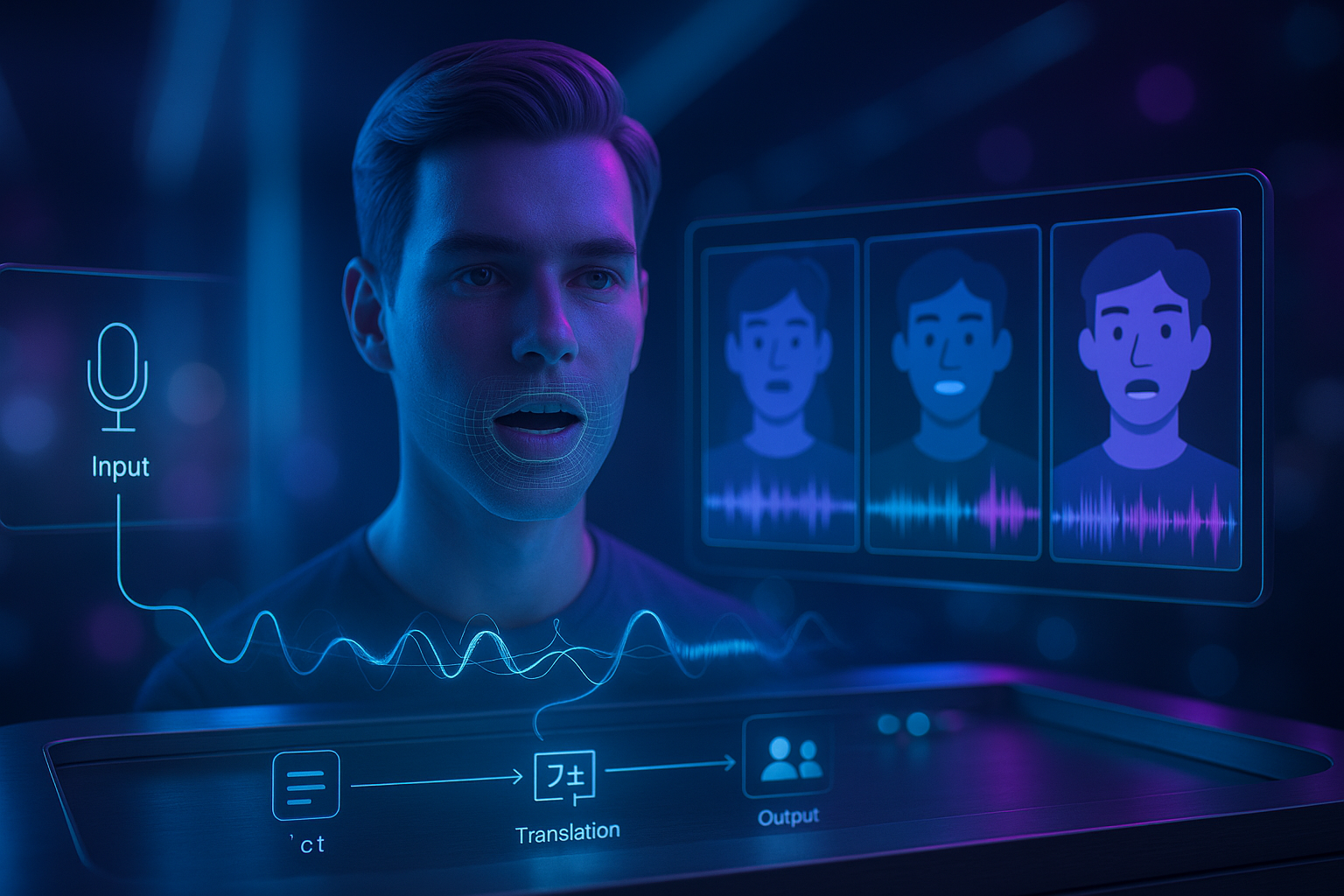
Upload a video, pick target languages, and let the service handle transcription, translation, dubbing, and lip alignment. The system aims to preserve key vocal traits so the result feels like your speaker in another language.
- Multi-speaker awareness: Works across conversations, not just single-voice tracks.
- Caption support: Generate captions alongside dubbed outputs to meet accessibility standards.
- Content authenticity: Designed to align with Adobe’s broader commitment to ethical use and provenance in AI-assisted media.
Reframe API: aspect ratios without the headaches
Need the same story across vertical, square, and widescreen? Reframe detects scene changes and keeps key subjects in frame, while supporting overlays (logos, lower thirds) so your brand elements remain consistent across cuts.
- Scene edit detection: Keeps transitions clean when cutting between shots.
- Overlay handling: Apply watermarks or graphics across batches with predictable placement.
- Platform-ready outputs: Create social-first versions for TikTok, Reels, Shorts, and feed/video ads.
Firefly Creative Production: scale with a no-code interface
For marketers and content teams, the browser-based Creative Production experience is the fastest way to multiply variants. Crop sets for channels, swap backdrops, localize copy, and reframe video for each destination. It is designed for non-developers while sharing the same engine as the APIs.
HelpX: Creative Production overview
Bottom line: These updates move localization and repurposing from “painful one-offs” to repeatable, brand-safe workflows you can run on demand.
Where this fits in your stack
Firefly Services are built to slot into the tools many teams already use, including asset managers, DAMs, and marketing suites. Enterprises can bring trained Custom Models into GenStudio and other apps to ensure every output follows brand rules, while creative teams can choose the no-code UI or call the APIs from automation platforms and CI/CD style pipelines.
Who benefits most?
| Team | Use case | Firefly capability |
|---|---|---|
| Social & Content | Make vertical/square/widescreen variants for each channel | Reframe API, Creative Production |
| Global Marketing | Localize product videos and ads across markets | Translate & Lip Sync, captions, overlays |
| L&D / EDU | Courseware in multiple languages with consistent presenters | Translate & Lip Sync, Text to Avatar |
| E-commerce | On-brand imagery and video at scale | Custom Models, Creative Production |
What’s available now
- APIs: Translate & Lip Sync, Reframe, Text to Speech, Text to Avatar, and more via the Firefly Audio/Video APIs.
- No-code UI: Firefly Creative Production for batching and variant creation.
- Ecosystem: Enterprise integration paths for on-brand content generation with Custom Models.
Setup notes and best practices
Technical guidance
- Plan your storage: APIs typically reference media via user-controlled storage such as S3, Frame.io, or Drive. Establish a consistent foldering and naming convention for inputs and outputs.
- Use pre-production samples: Test short clips first to dial in settings such as language, voice options, subtitles, and overlay positions before scaling.
- Mind rate limits and batching: Schedule jobs and status checks to avoid bursts. Stagger larger batches for predictable throughput.
- Caption hygiene: Edit auto-generated transcripts at the sentence level for clarity. Keep timestamps intact to preserve sync.
- Visual QA: For reframed outputs, proof every aspect ratio and pay special attention to text truncation and lower-third legibility.
Localization quality tips
- Source audio matters: Clean, non-overlapping speech produces better dubs and lip sync. Minimize background music under VO when possible.
- Brand voice: If you use Text to Speech for narration, standardize on preferred voices and settings. Incorporate pronunciation dictionaries for product names.
- Compliance and rights: Confirm licensing for voice likeness or avatars where applicable. Use content credentials where available to signal provenance.
How this compares to “do it by hand”
- Reframing: Manual center-cutting across platforms is time-consuming and error-prone. Reframe’s subject awareness and scene edits automate the tedious parts while keeping story intent intact.
- Dubbing: Traditional ADR and manual dubbing require studios and multiple review cycles. Translate & Lip Sync streamlines the path to “good enough to publish,” with controls to polish where needed.
- Variant production: Spreadsheet-driven asset logs and folder trees are fragile at scale. Firefly’s no-code UI and APIs bring repeatability and auditability to the process.
Quick start recipes
Turn a single product video into a global, multi-channel set:
- Run Translate & Lip Sync to generate localized dubs and captions per market.
- Use Reframe to output 9:16, 1:1, and 16:9 cuts. Add brand overlays.
- Batch the above in Creative Production for each language and placement.
- Publish with a content credentials badge when possible.
Availability and documentation
Firefly Services are available now to developers and enterprise teams. If you are building automations, start with the Audio/Video API overview. If you are producing variants without code, start in the Creative Production UI and standardize your templates, overlays, and export presets.