
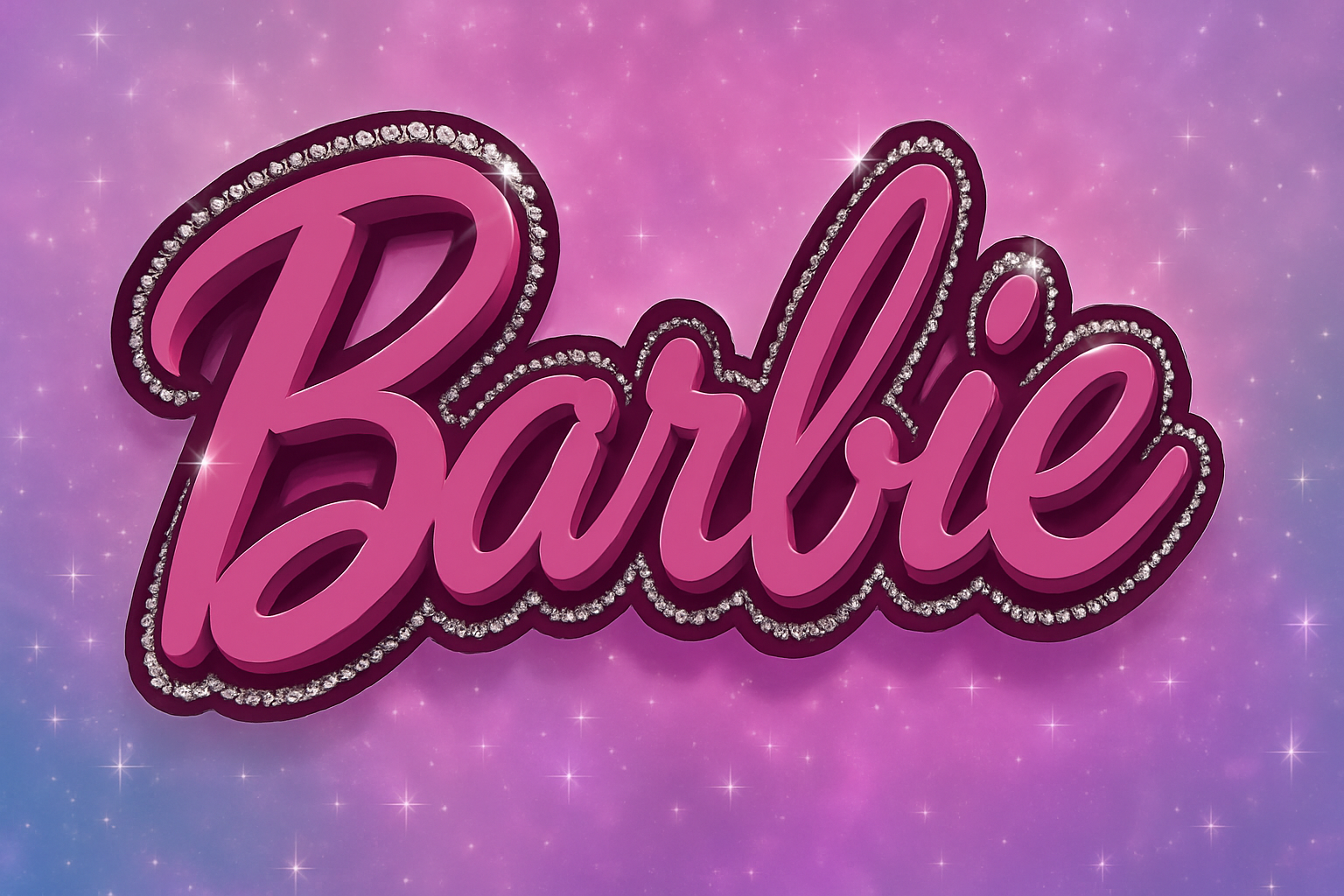
Put Your Name in Lights – or at Least in a Barbie Logo!
Are you ready for a retro glam session with your trusty companion, Photoshop? Freshen up your skills and design a Barbie-style logo that’s so sparkly, it’ll make even Ken’s head turn! The Barbie movie has rekindled old flames for this iconic brand’s aesthetic, with its six-decade history of pink flamboyance and underserved Ken-blue. Now, let me dive into how we can bring that iconic style into the modern-day design stage… the one with sparkling rhinestones, naturally.
Typography: The Heartbeat of Barbie’s Iconic Logo
The essence of Barbie—or perhaps even its soul—is in its font, “Dollie Script,” which served as its visual heartbeat in the lo-fi pre-social media era (1999-2004). This font is integral to infusing authenticity into your design. If it’s missing from your collection, fret not! You can find this lovely script in the project files provided with the tutorial.
But we won’t stop there! Besides the font, you’ll need a dose of Barbie’s signature pink (hex code: EC4399), with Ken’s blue (00CDFF) offering a gentle nod as a secondary option.
Let’s Get Typing!
Kick things off by typing out your text with the Horizontal Type Tool, turning your Windows or Mac device into Barbie’s illustrative muse. Remember, this isn’t a one-size-fits-all situation; the size is entirely at your discretion. Set your typeface, adjust aliasing to “Smooth” for velvety curves, and center the text.
Once your letters are set, subtle adjustments like kerning and tracking can range your design from okay to Oh Ken, yes!
Smart Objects: The Backbone of Non-Destructiveness
Make sure your text’s layers are flexible by converting them into Smart Objects. This lets you tinker without tarnishing your original artwork—a necessity when working with something as timeless as the Barbie logo.
Layer Styles: Where Technique Meets Artistry
Interactive buttons and glossy finishes are all well and good, but achieving a glitzy Barbie finish involves a master class in layer styles:
- Bevel & Emboss: Propel your text from 2D to pseudo-3D. Inner Bevel, Chisel Hard, and a 150% depth will give you that desirable ‘pop’.
- Drop Shadow & Inner Shadow: With the Blend Mode set to Multiply and the right color offsets, it’s like a Spielberg movie—you won’t see it, but you’ll feel it!
Experiment with these settings, but remember, moderation is key. While Barbie’s color palette is bold, she never compromises on sophistication.
Add Some Sparkle with Rhinestones
Now, you wouldn’t stop at text alone! Fortify your design with some “Bling” through selected layers, meticulously using brushes to simulate rhinestones. This step comes with more than glitz; it takes your logo to an indelible realm where nostalgia meets novelty.
The Rhinestone Roadmap:
- Create a new layer, aptly named “Bling” or perhaps “Rhinestones” for the traditionalists.
- Revisit the Paths Panel—you’ll expand the shape by 15 pixels.
- Use the Pencil Tool to trace sparkling outlines over your design for a real sparkling effect, ensuring white stays your trusty foreground color.
- Finish the touch with “Bevel & Emboss” on this layer for a dazzling array of depth and shine.
Twinkle Brushes: The Cherry on Top
Enhance your artwork’s ‘wow-factor’ by scattering starlit glints across your logo with a twinkle brush set. These strokes add an extra oomph—and hey, who doesn’t love a sprinkle of stars?
With a twinkle in your eye (or on your graphic), your design will undeniably shine brighter than the others. The twinkle brush acts as the final flourish on this rhinestone road to retro glory!
Wrapping Things Up
So now you know—it’s not just about creating text; it’s about creating a dream. Whether it’s for a poster or a personal project, the marriage between vintage charm and sparkling modernity is going to leave them starry-eyed.
And there you have it—your complete guide on crafting a mesmerizing Barbie logo that any child (or adult venturing down nostalgia lane) would envy. Go ahead, give it a whirl, and transform those tired layers into sparkling works of joy that pay the perfect homage to everyone’s favorite doll.
Have some fun with it and, more importantly, make sure it screams personality. A doll’s world—be it Barbie’s—is never drab, and neither should be your design! 💖





