
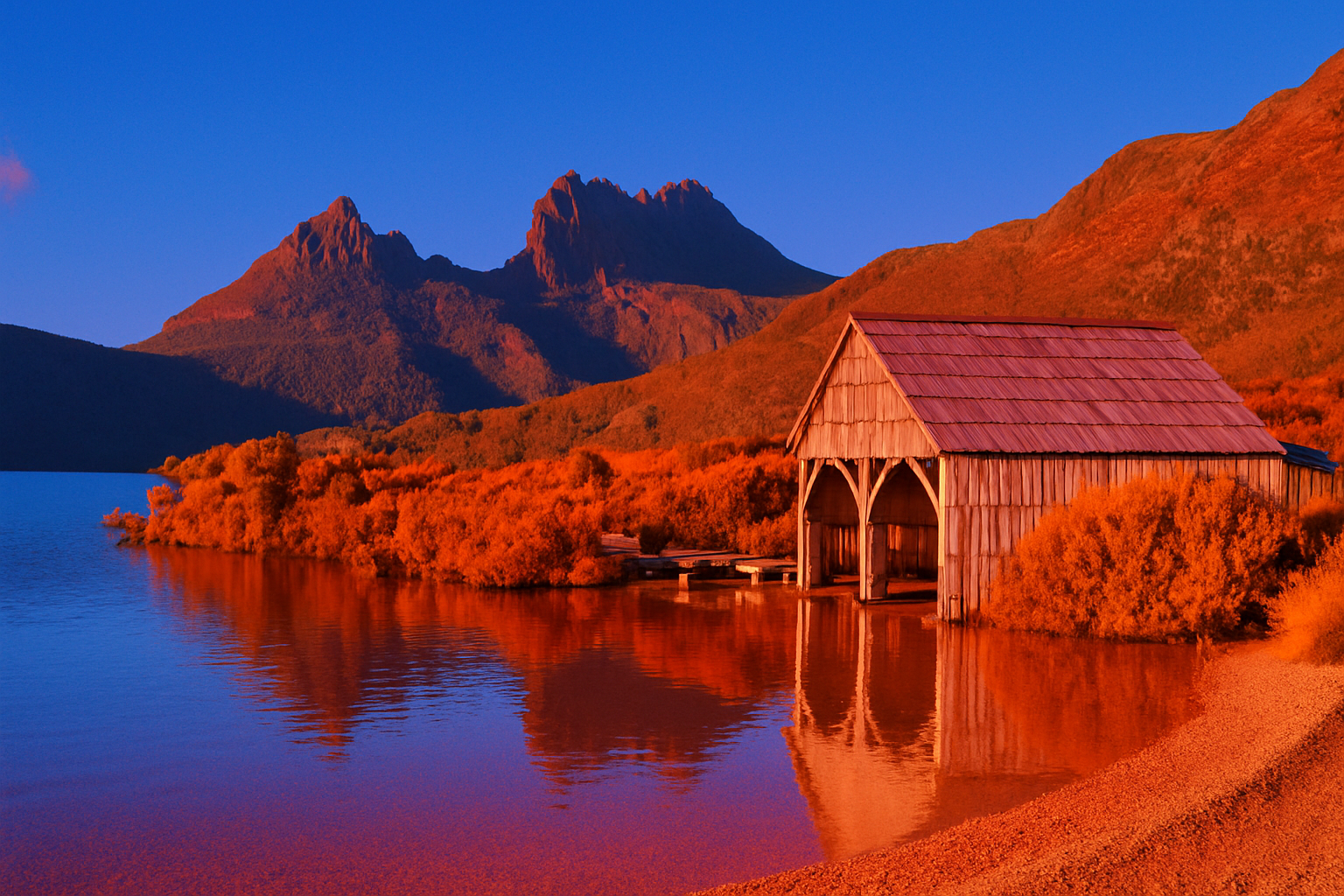
Unlock the Secrets of Maxfield Parrish’s Artistic Brilliance
Maxfield Parrish, the American painter and illustrator, enchanted audiences in the first half of the 20th century with his use of vibrant saturated hues and dramatic, idealized neoclassical imagery. Counted among the most cherished artists of his time, Parrish played a pivotal role in shaping the Golden Age of Illustration and the trajectory of American visual arts. If you’ve ever wished to harness the magic of his distinctive style for your own photography projects, you’re in the right place. Today, we’re diving into how you can transform your own photos into works reminiscent of Parrish’s iconic paintings.
The Maxfield Parrish Look: A Quick Overview of the Process
Before we dive into the details, let’s outline the general steps to achieve the Maxfield Parrish look. This technique revolves around transforming a simple photograph into a vibrant and dramatic image with Parrish’s signature touch. The process primarily involves adjusting the image’s color, vibrance, and adding texture—a culmination of tweaks that celebrate rich hues and artistic flair.
Getting Started: Choose Your Image
First things first, you’ll need to select an image to turn into your masterpiece. If you’re following along with a provided image, like from a source such as Dreamstime, you’re all set. Otherwise, you can use any photo that you’d like to experiment with. Make sure your image has a resolution that can sustain some heavy editing—a resolution of 150 pixels per inch is recommended to ensure clarity and detail in your finished work.
Color Magic Begins: Matching Parrish’s Palette
Once you have your image loaded into your favorite photo editing software, you’ll start by duplicating it—this keeps your original unaltered. Begin the color transformation by opening the ‘Match Color’ function in your editing software. Choose a reference image that holds the Parrish colors you want to emulate. Adjust the luminance and color intensity to their maximum values to inject an intense, saturated vibe into your image.
Smart Adjustments: Non-Destructive Edits
Converting your work-in-progress into a smart object is a savvy step. It means you can keep editing your adjustments without permanently changing the underlying photo. Think of it as your safety net for experimentation without the fear of irreversible mistakes.
Next, head to the ‘Filters’ and introduce a ‘Surface Blur.’ A radius of 50 pixels and a threshold of 10 will smooth out the image nicely, softening some areas while keeping essential details intact.
Boost the Colors: Use of Vibrance
It’s time to amp up those colors. Add a vibrance adjustment layer and crank that slider all the way up. If your photo isn’t quite yet reaching the vivid color you crave, duplicate this adjustment layer to stack additional vibrance.
Shadow Play: Balancing Darkness
By now, your image is already pulsating with color. But if the shadows feel too exaggerated or overwhelming, there’s a solution. Adjust the shadows using an ‘Adjustment Layer.’ Generally, the amount defaults to about 35%, but feel free to experiment to find the perfect balance for your piece.
Add a Parrish Texture: Grainy Goodness
To round out this transformation, a hint of texture can add just the right touch reminiscent of Parrish’s paintings’ subtle tactile quality. Dive into the ‘Filter Gallery’ and find the ‘Texture’ folder. Applying a ‘Grain’ texture with intensity set to 10 and contrast at 50 should give your photo the charming nostalgic feel deserving of the last century.
Why Transform? The Joy of Artistic Exploration
This process is more than just digital manipulation; it’s about bridging the gap between technological and traditional artistry. As creatives, this technique challenges us to rethink photography—consider the textures, tones, and colors that can transform a regular photo into a narrative-driven art piece. It’s about embracing the past, invoking emotions, and understanding art’s progression through the digital realm.
Embarking on the journey of turning your photos into dramatic, captivating artworks using Maxfield Parrish’s illustrious palette can be both a fun exercise and an invaluable learning experience. The next time an image looks too plain for your liking, remember, a bit of Parrish magic is just a few clicks away.





