
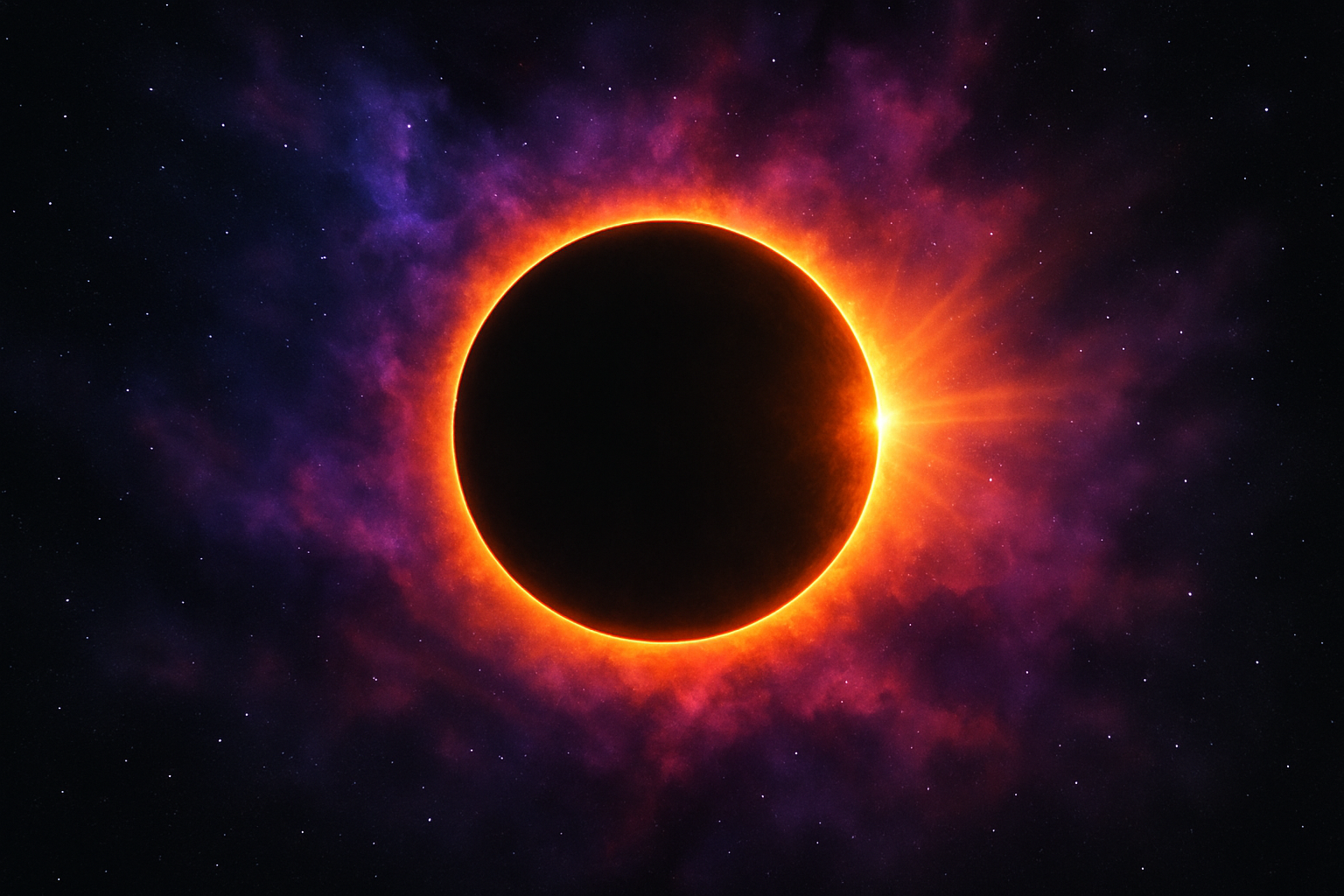
Unleash Your Inner Astronaut with Cosmic Photo Manipulations
Have you ever gazed into the cosmic abyss and thought, “I wish I could create celestial wonders from the comfort of my own desktop?” Okay, maybe not verbatim, but let’s admit it—there’s something truly mesmerizing about the mysteries of the universe. Armed with Photoshop and a sprinkle of creativity, we’re diving into a realm of deep space artistry to create our very own solar eclipse, complete with radiant clouds of gas and cosmic dust. So warp speed ahead, let’s rocket past the average photo edits and land on something that’s out of this world!
The Cosmic Canvas: Preparing Your Photoshop Galaxy
First things first—configure your virtual universe. Fire up Photoshop and kick things off by creating a new document (Ctrl/Command + N), aptly named “Eclipse.” Enter the dimensions: 1550 x 870 pixels, with a resolution of 150 pixels per inch. Set the color mode to RGB at 8 bits per channel. Think of this as preparing the spaceship; we want a smooth flight through our creative galaxy.
Make sure your background is black, or as close to the inky void of space as possible. With your new cosmic canvas at the ready, it’s time to embark on building the solar spectacle.
Create the Eclipse: Cosmic Core Crafting
1. New Layer Alert: Click the “New Layer” icon and open the Elliptical Marquee Tool.
2. Draw Your Star: Near the center, hold down Alt + Shift (Option + Shift for Mac users) and drag out a circle. This will serve as the heart of your eclipse.
3. Add Some Glow: Fill this orb with white by leveraging your Ctrl/Command and Delete keys, but don’t get too attached; we’ll be reducing this once robust form to a mere silhouette.
4. Style It Up: Adjust the Fill Opacity to zero and delve into its Layer Styles for some Outer Glow magic. Tweak settings—Blend Mode to Normal, Opacity to 100%, Size to 40 pixels—and boom, your eclipse now emanates mystery and allure.
Part Two: Building the Interstellar Background
While the eclipse remains our star player, the surrounding atmosphere is where our cosmic scene truly comes alive.
Adding a Lens Flare: Starbursts and Supernovas
- Create a new layer, dubbed “Lens Flare,” and fill it with black.
- With the layer blend mode set to ‘Screen,’ head over to Filter > Render > Lens Flare. Using a 105mm Prime lens type, adjust the brightness to mirror the cosmic radiance you envision—about 80% should suffice.
Feeling those cosmic vibes yet? Between subtle tweaks in opacity and deft brush strokes, you’ll position the flare to perfectly punctuate your eclipse.
Making Hot Spots and Highlights
- Add hotspots to vitalize and animate the fringes of your eclipse. Adjust the brush size and opacity creatively to breathe life into these space flares.
- Command attention with powerful, dynamic strokes across the eclipse edges, ensuring every selected aspect of our star is meticulously aligned and brightly burning.
And Then, the Stars: Cosmic Dust Spreads and Otherworldly Gases
Our last leg involves introducing those glittering accents that let our creation sing like the night sky. As we delve into Part Two of the project, stars and radiating gas clouds will expand and enhance this celestial mystery. This last layer transforms an image from science fiction into multimedia reality, exercising the ‘Filter > Blur > Gaussian Blur’ for that perfect astral haze with a 100-pixel radius to achieve a believably enchanting ambiance.
The Takeaway: A Journey Beyond Our World Awaits
So there you have it—a fantastic method to channel the cosmos from the comfort of your desk chair. If there’s anything that reminds us of the sheer scale and beauty of the universe, it’s a solar eclipse. This tutorial is merely your first dalliance with the stars, yet armed with this knowledge, there’s no telling where your next digital adventure could take you.
In the vast tapestry of digital art, where galaxies converge and imagination wanders free, sleek solar eclipses are only one of the infinite possibilities. Keep pushing the boundaries, star travelers—you never know what wonders await just beyond the familiar pixels.




