
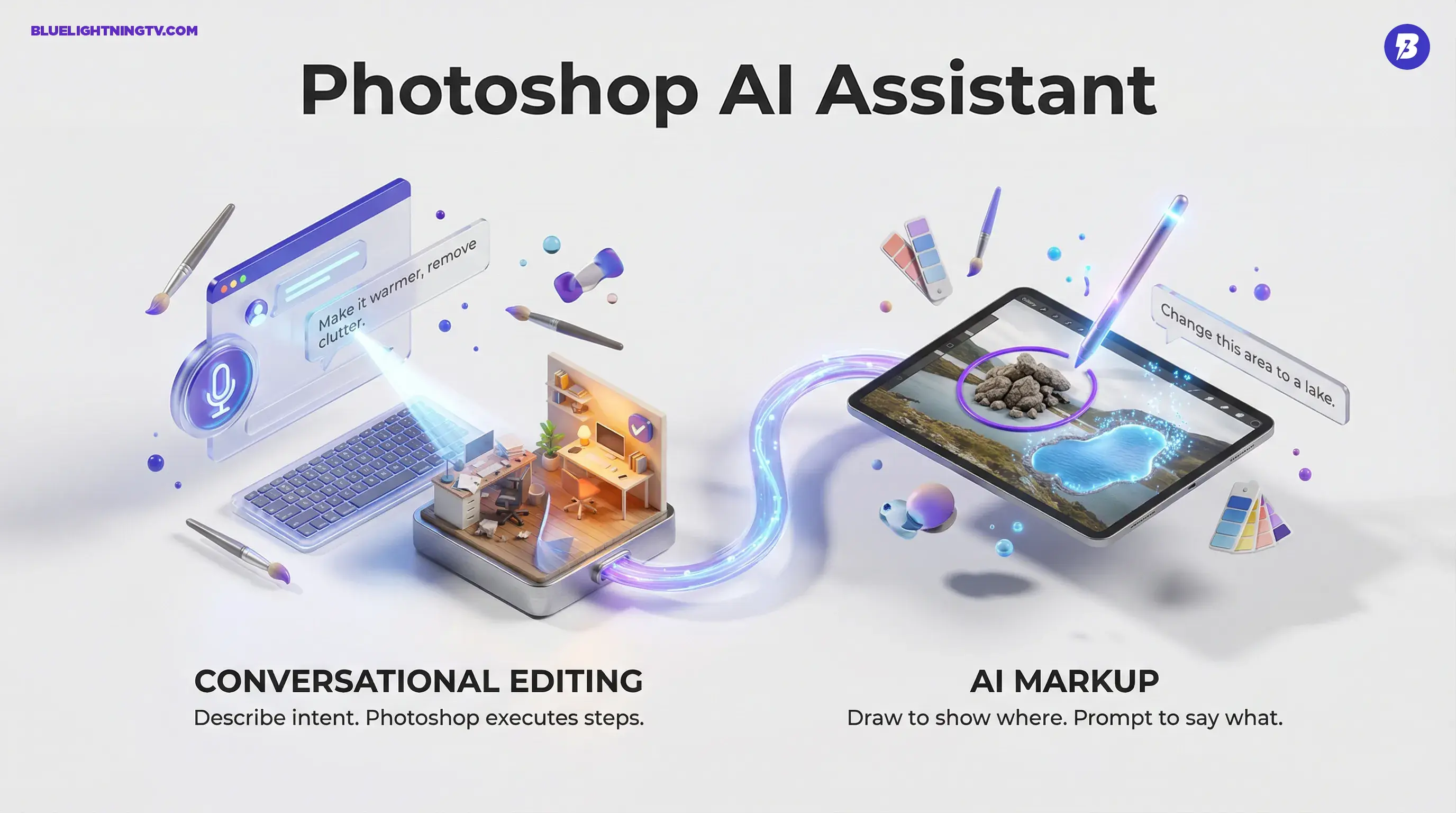
Adobe just shipped a big quality-of-life upgrade for people who live in revision land: a conversational AI Assistant in Photoshop, powered by Firefly, now in public beta on web and mobile. Instead of hunting through panels (or summoning your resident “Photoshop wizard” coworker), you can describe what you want in plain language, by typing or speaking, and Photoshop will execute the steps.
This isn’t Adobe trying to turn Photoshop into a chatbot playground. It’s Adobe trying to make the most common production edits feel closer to giving direction: “remove that,” “make it warmer,” “swap the background,” “try three variants.” For creators shipping lots of assets, that shift matters more than any single flashy feature.
The point isn’t “AI makes images.” It’s “AI makes changes less annoying.”
What Adobe shipped
There are two headline pieces, plus a practical “who gets it and where” detail that actually affects whether you’ll use it.
AI Assistant in Photoshop
The new AI Assistant appears as a chat-style sidebar inside Photoshop for web and mobile. You describe the outcome you want (text or voice), and the assistant translates that intent into multi-step Photoshop actions, think selections, adjustments, and generative edits, without you manually driving each click.
Adobe is positioning this as both:
- A speed layer (do the edit for me)
- A learning layer (walk me through it step-by-step)
That second mode is sneaky-important. It signals Adobe wants this to serve teams where not everyone is a deep Photoshop operator, without turning the file into an uneditable mystery.
AI Markup on web
On Photoshop for web, Adobe also added AI Markup: you can draw directly on the canvas (circle, brush, scribble) to show where the change should happen, then pair it with a prompt describing what to do. In other words: “this part, not that part.”
If you’ve ever tried to prompt an edit and watched the model confidently “fix” the wrong thing, you already understand why Markup might be the most production-friendly part of this launch.
Why this matters now
Photoshop has had AI-assisted tools for years, Content-Aware Fill, Neural Filters, and more recently Firefly-powered Generative Fill, Expand, and Remove. The difference here is the interface: Adobe is moving from tool-first editing to intent-first editing.
In older workflows, you needed to know the sequence:
- select subject
- refine mask
- adjust exposure
- fix spill
- remove object
- cleanup artifacts
In the new workflow, you can start with the goal. The assistant tries to orchestrate the steps. You correct it with follow-ups like you would with a collaborator: “only the background,” “less intense,” “keep the original colors,” “give me options.”
The workflow win
Adobe’s announcement frames this as a speed and accessibility story, but the real impact shows up in the day-to-day grind: revisions.
Revisions compress
Most teams don’t lose time on the first draft. They lose time on the 12th “tiny tweak” that isn’t tiny. Conversational editing aims straight at that loop, especially for changes that are common, repetitive, and hard to delegate.
Here’s what that looks like in practice:
| Revision request | Old reality | With AI Assistant |
|---|---|---|
| “Clean up the background” | Manual selection + remove + patch | One prompt, then refine |
| “Make 3 colorways” | Duplicate layers + adjust + export | Prompt variants faster |
| “Fix just this area” | Masking time tax | AI Markup + prompt |
Delegation gets easier
The most immediate benefit might be team-wide: when “make it brighter and remove the clutter” becomes a promptable action, more people can contribute to visual production without needing to become a power user.
That doesn’t replace designers. It changes what designers spend their time on, less mechanical cleanup, more taste and final polish. (And yes, more time preventing brand assets from getting “AI’d” into uncanny territory.)
AI Markup is the control knob
Let’s be real: pure text prompting is often too vague for precise editing. “Remove the object” turns into “remove the vibe.” “Change the background” turns into “change everything you loved.”
AI Markup makes the instruction less ambiguous by combining two signals:
- Human pointing (this area)
- Human intent (do this to it)
This is also why Markup feels built for professionals, not just newcomers. Pros don’t only want speed, they want predictability. Markup is Adobe’s attempt to make conversational edits less like gambling and more like directing.
Where it may still struggle
Even with Markup, there are classic “don’t bet the deadline on it” zones for any generative edit:
- Product accuracy (packaging, logos, exact shapes)
- complex edges (hair, motion blur, translucency)
- busy scenes where “the object” could mean three things
The assistant can get you to a strong draft fast, but you’ll still want a human pass when the output has brand or commercial stakes.
Availability and limits
Adobe is rolling this out as a public beta in Photoshop on the web and on mobile. Voice input is supported on mobile.
Adobe is also tying usage to its generative system during beta: through April 9, 2026, paid subscribers on Photoshop for web and mobile get unlimited AI Assistant generations, while free users get 20 generations to try it.
How this fits Firefly
This launch lines up with Adobe’s broader direction: Firefly isn’t just a model family anymore. It’s becoming the layer that sits across Creative Cloud as the “do the boring parts” engine.
In the COEY universe, this also connects cleanly to the bigger workflow story we covered recently. Our post Adobe Firefly + Photoshop AI Assistant Streamline Edits breaks down how the Photoshop AI Assistant and Firefly’s unified editing workspace fit together.
What to watch next
The beta label matters. The real test isn’t whether the assistant can do a cool edit once. It’s whether it can survive the way creative work actually happens.
Consistency beats novelty
If the same prompt produces wildly different outcomes from one attempt to the next, teams won’t trust it. Reliability is the feature that turns “neat” into “daily driver.”
Editability is non-negotiable
Professionals will care a lot about what the assistant leaves behind: clean layers, reversible steps, and a file that another human can open and understand. If conversational edits create messy, opaque results, the assistant becomes a prototype tool, not a production tool.
Markup becomes the bridge
If AI Markup proves accurate and fast, it could become the standard way people “talk” to generative tools inside pro apps: point, instruct, iterate. That’s a workflow change, not just a feature add.
Bottom line
Adobe’s conversational editing in Photoshop is a pragmatic shift: a faster way to execute common image changes, with AI Markup adding the kind of targeting control real workflows require. The bet is simple: creators don’t want more features. They want fewer steps between feedback and a shippable file.
If Adobe can make the assistant reliable, editable, and precise enough under revision pressure, this won’t feel like “chat in Photoshop.” It’ll feel like Photoshop finally learning how creative teams actually talk.