Big thanks to our sponsor, Artlist, for supporting this tutorial and the creator community.
Unleashing AI Power for Advertising Magic
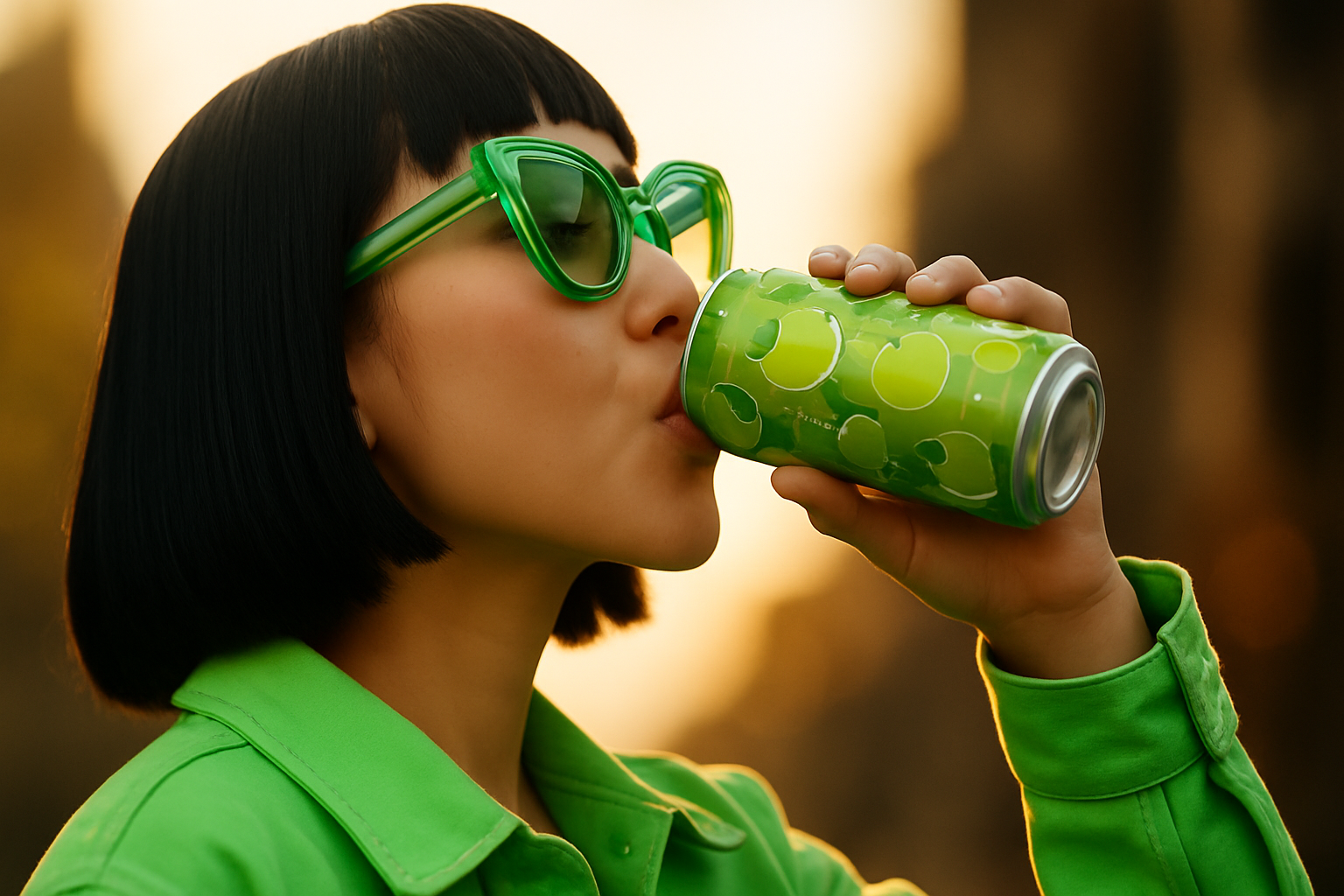
Picture this: you’ve got a single product image. It’s nice, but basic. Now imagine flipping that plain, static shot into an enticing, high-quality ad that screams creativity and stops the scroll. Sounds wild, right? With the latest AI video models on Artlist – like Sora 2 and Google’s Veo 3.1 – you can transform a single product image into mind-bending UGC and cinematic ads with shockingly little effort.
Why Artlist Is the Creator’s Playground
Artlist isn’t just the go-to for music and sound effects – it now packs a full AI suite that lets you generate videos from text or images, storyboard multi-shot sequences, create UGC-style clips, and layer in clean voiceovers and sound design. It brings production-level features into a streamlined workspace, which is why it’s a killer hub for building ads start to finish.
- Sora 2 on Artlist: Ultra-realistic motion, strong scene coherence, and excellent “physics” for product shots that feel real.
- Veo 3.1 on Artlist: Precise camera control, smooth multi-shot storytelling, and robust text-to-video and image-to-video options.
Explore what’s possible with these models on Artlist’s platform and blog:
- Sora 2 overview on Artlist
- Veo 3 overview on Artlist
From a Single Product Image to a Scroll-Stopping Video Ad
The core workflow is simple: prepare a strong product image, pick the right AI model, write a prompt that reads like a visual script, then polish with VO and sound design.
Prep Your Product Asset
- Start clean: Use a high-resolution PNG with a transparent background or a meticulously masked product on a neutral backdrop.
- Keep specular highlights: Don’t over-retouch away the “realness.” Natural reflections help AI render convincing motion and lighting.
- Consider variants: If you want multiple angles, render a few images (front, three-quarter, back) so you can maintain consistency across shots.
Choose Your Model (Sora 2 vs. Sora 2 Pro vs. Veo 3.1)
Each model has strengths. If you want sleek realism and product physics, start with Sora 2. If you need crisp 1080p and cinematic camera control across multiple shots, Veo 3.1 is a powerhouse. Sora 2 Pro unlocks higher fidelity than base Sora 2 with a higher credit cost.
| Model | Output | Strengths | Best For | Credit Use |
|---|---|---|---|---|
| Sora 2 (Base) | 720p | Realistic motion, quick tests | Concepting, fast iterations | Lower |
| Sora 2 Pro | 1080p | Higher fidelity, crisper detail | Final hero shots, polish | Higher |
| Veo 3.1 | Up to 1080p | Multi-shot control, cinematic camera moves | Narrative ads, UGC sequences | Varies |
Note: Credit consumption varies by model, duration, and resolution. See Artlist’s guide to AI credits before you generate.
Crafting the Perfect Prompt
How you prompt determines everything. Think like a director: time-coded shots, lens choices, motion cues, lighting notes, mood, and color palette. If you’re doing image-to-video, describe the movement and camera behavior around your product.
A prompt framework that consistently delivers
10-second ad, 16:9. Modern tabletop studio, glossy white surface, soft key from camera left, practical bokeh in background.
0-3s: slow 35mm push-in on the can; crisp condensation, subtle water beads.
3-6s: whip-pan transition to 85mm macro of logo; anamorphic flares, cool teal rim light.
6-10s: 24fps hero wide, 24mm, dynamic parallax, droplets suspended midair, punchy contrast, product perfectly centered. Tone: energetic, premium, playful.
Pro tips:
- Lead with the subject and camera. The first sentence should define framing and movement.
- Timecode your beats. Short, clear segments improve shot transitions.
- Lock the look. Mention lens, shutter feel (24fps cinema), lighting direction, and color grade.
- For UGC, specify handheld wobble, natural skin tones, and ambient room tone for realism.
Voicing the Future: Voiceover, Music, and SFX
Once your visuals are singing, audio is the cherry on top. Artlist’s bread and butter is sound – pair your generated spot with on-brand music, tasteful hits, and a concise VO to drive the message home. Keep VO tight and benefit-forward: 25–45 words is perfect for a 10–12 second cut.
- Write VO last: Let the edit dictate the cadence and VO length.
- Hit three beats: Hook (1 line), Feature/benefit (1–2 lines), CTA (1 line).
- Duck music under VO by 4–6 dB; use a stinger hit on the logo reveal.
UGC That Feels Human (Without a Camera)
UGC-style ads thrive on authenticity: natural pacing, handheld camera motion, and conversational VO. With Veo 3.1’s control and Sora 2’s realism, you can create creator-style clips that feel filmed on a phone – but cleaner.
UGC Shot Ideas You Can Prompt
- “Bathroom shelfie” product demo with hand interactions and quick cut-ins of ingredient cards.
- “POV unboxing” with box textures, tissue paper, and subtle room echo.
- “Before/after” split: same framing, different lighting and props.
Add a little imperfection—micro jitters, exposure shifts, breathing focus—to sell the handheld vibe.
Anime Adventures and Stylized Spots
Want a stylized spin for seasonal campaigns? Both Sora 2 and Veo 3.1 can lean into anime or illustrative looks with the right prompt: think bold line art, soft halation, or vibrant cel shading. If you’re building style boards first, Artlist’s image models (like Seadream 4 or Nano Banana) are great for reference frames and character-consistent stills you can then animate. Keep your product logo readable—ask for “clean, legible label text” in every stylized frame.
Best Practices, Gotchas, and Pro Workflow Tips
Creative control vs. AI surprise
- Control: Timecodes, lenses, and blocking give you “director’s cut” precision.
- Surprise: Looser prompts sometimes yield inspired transitions or effects you wouldn’t think of. Generate a few wildcards.
Product and brand integrity
- Keep labels sharp: “Crisp label, zero warping, zero misspelling.”
- Lock brand colors: “Exact Pantone-like teal accents, no hue shifts on logo.”
- Use an alpha edge: Clean cutouts help the model preserve shape and edges.
Output and aspect ratios
- Match platform: 16:9 (YouTube), 9:16 (Reels/TikTok/Shorts), 1:1 (Feed).
- Frame safety: Keep your product and text in a centered “safe zone” for cross-posting.
Credits, policies, and constraints
- Credits: Model, duration, and resolution affect cost. Plan test passes at lower res, then upscale your hero take. Artlist’s credit guide explains the details.
- Content restrictions: Avoid input images with real people, copyrighted characters, or adult content. Learn the model do’s and don’ts.
Putting It All Together: A Mini Workflow
- Prep: Export a transparent PNG of your product at the largest size you’ve got. Create a second version on a clean tabletop if you want shadows.
- Plan: Write a 10–12 second visual script with 3–4 beats. Decide on UGC handheld vs. cinematic slider moves.
- Generate: Start with Sora 2 at 720p for blocking. Lock motion and lighting. When happy, move to Sora 2 Pro or Veo 3.1 for the final 1080p pass.
- Sweeten: Add VO, build a sound bed from Artlist’s library, and accent transitions with tasteful hits.
- Deliver: Export platform-specific crops; add captions and a simple on-screen CTA.
If you’re debating which model to choose:
- Choose Sora 2 when you want hyper-believable product physics and reflective surfaces.
- Choose Sora 2 Pro when that realism needs to be your final at 1080p.
- Choose Veo 3.1 when you want tighter control over multi-shot storytelling, transitions, and camera language.
Final Thought
To call these tools “useful” is an understatement – they’re a creative unlock. What was once a production line is now a fast, flexible loop: concept, prompt, generate, refine. Whether you’re an up-and-coming creator, a brand marketer, or a filmmaker prototyping storyboards, Artlist’s AI suite lets you turn the mundane into the magnificent and the static into the spectacular. Dive in, experiment boldly, and let the models do some heavy lifting – your imagination will handle the rest.